Multimodal Learning
Finding Help in Canvas
Using the "Help" Button
- Use the Help button to provide feedback or to report an issue or error.
- The Help button is located at the bottom of the left-side global navigation
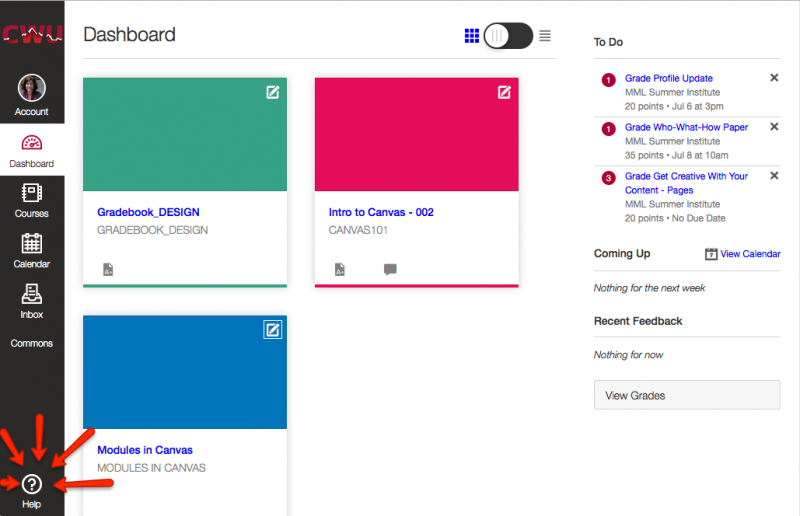
- This button is located at the bottom of the page, regardless of the window size. Make sure to click the Help button on the page you are having issues with. This will help CWU Canvas Support figure out what the problem is.
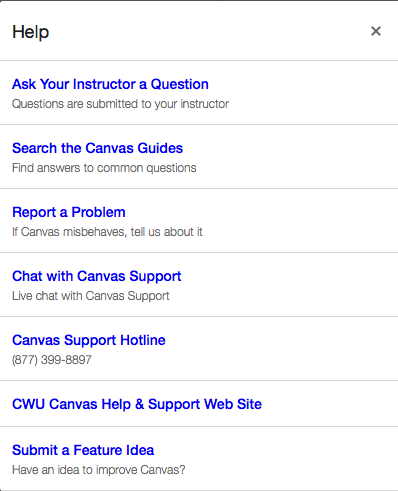
- Once you click on the Help button, you will be given options to choose from that include Ask Your Instructor a Question, Search the Canvas Guides, Report a Problem, Chat with Canvas Support, Canvas Support Hotline, CWU Canvas Help & Support, and Submit a Feature Idea.
CWU News

Arts and Humanities Month continues to build momentum
October 21, 2026 by David Leder

New position at CWU-Des Moines aimed at improving student experiences
October 21, 2026 by David Leder