Why are you seeing "Required field" errors?
- January 9, 2026
- Jose Romero
Why are you seeing "Required field" errors?
Are you getting this error when making changes on your website?
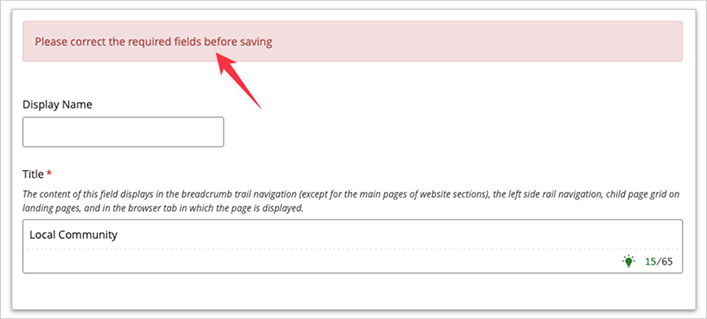
Here’s why:
Effective January 1, 2026, all images uploaded to CWU’s website must include a text description (alternative text) that clearly and concisely communicates the image’s purpose or meaning. This ensures that images are accessible to people who use screen readers or other assistive technologies and supports CWU’s compliance with accessibility requirements taking effect in April 2026.
Images that are purely decorative do not require a description only if they are explicitly marked as decorative.
If you edit a page that includes an image without a required description, you will see the error message when attempting to save the page: Please correct the required fields before saving.
To resolve this:
- Scroll through the edit screen to locate the image missing a description.
- Add an appropriate image description to the required field.
- Save the page again.
Note: If you are not using an image, you can bypass the required field by swithcing the "This is a decorative image, no description is needed." from "No" to "Yes"
In some cases, this may occur when editing a previously published page. For example, an image added before this requirement may not have a description. Even if you only update text on the page, the system will now require a description for that image before the page can be saved.Contact
José Romero
Web Services
Director